





You can log in to a UK Government account WITHOUT a password, and doing so saves taxpayers £4,000 a week


Ever struggled to remember your password for your account on the UK Government website?
Whether you're checking your HMRC records, managing your State Pension, or renewing your driving licence, the GOV.UK One Login is more important than ever before. This account is designed to simplify an endless list of logins to access various services run out of Whitehall.
While there's less to remember, it means that your password to GOV.UK One Login should be extremely secure. Fortunately, the latest update means over 23 million Britons can now ditch their passwords for something simpler.
It means GOV.UK One Login will now follow the UK Government's own advice about passwords. Back in April, the National Cyber Security Centre – part of GCHQ — announced that all 69.3million people living in the UK should ditch the jumble of letters, numbers, and symbols used for decades to secure all online accounts.
The agency, which serves as the UK's technical authority for cyber threats and offers advice for citizens, industry, and Government on hacks and attacks, believes it's time to move to passkeys instead.

What exactly is a passkey? In the simplest terms, it's a way to sign into an account online or via an app without typing in a password at all. Instead, you use your fingerprint, Face ID or a PIN to get in. That's the same biometric security you probably already use to unlock your smartphone or tablet every day.
If you pay using Apple Pay or Google Pay, check your bank balance on a mobile app, or unlock your PC using Windows Hello — you're already used to the convenience of biometrics.
Passkeys bring that same simplicity and security to every login. No more forgotten passwords scribbled on Sticky Notes or tapping the "Forgotten Password?" prompt to desperately attempt to reset your login for the umpteenth time. You can simply use your fingertip or face to unlock access to everything.
Rather than a username-password combination verifying that you should have access to an account, passkeys use biometrics — scanning your fingerprint, facial recognition, or an on-screen PIN — to check your identity on a support device, like a tablet, smartphone, or PC, then it relays the result to the online service.
It's your device that is vouching for you, and then the website or app simply takes its word for it.
LATEST DEVELOPMENTS
- Lifeline for Sky Q viewers as satellite dishes won't stop working in 2029
- Paramount+ and HBO Max to be combined into a single streamer
- Vodafone throws down the gauntlet to Sky with a new TV box and £10 price
- Samsung's new AirTag rival works with your iPhone
Unlike passwords, passkeys are resistant to online attacks like phishing, making them more secure than one-time codes sent via SMS. Google called the roll-out of passkeys "the beginning of the end of the password", although they're unlikely to eliminate old-fashioned passwords for some time.
Microsoft now asks all account-holders to default to passkeys, instead of an old-fashioned alphanumeric password.
Let's be honest, traditional passwords are far from secure. They're easily guessed and frequently stolen.
In the last few months alone, we've seen security researchers unearth the so-called "mother of all breaches", with billions of stolen usernames and passwords for popular sites like LinkedIn, X (formerly Twitter), Telegram, and Dropbox. Not only that, but hackers used credential stuffing to break into half a million Roku accounts and spend money using saved payment details.
Aside from being more secure, passkeys are also fast. You can log in up to eight times faster than the old method of typing a username, password and then waiting for a text code via email or SMS.
Over 300,000 people have already made the switch during the trial period.
Following the broader rollout, almost one in 10 daily logins to GOV.UK One Login now use passkeys instead of traditional passwords. And here's something you'll appreciate as a taxpayer: this shift is saving nearly £600 every single day in text message costs. That's around £4,200 saved every week, or £219,000 annually.
That's because the UK Government won't need to send you those verification codes.
Beyond the speed, passkeys offer you much better protection against online criminals. They're tied directly to your specific device and the exact website you're visiting, which means fraudsters can't trick you into handing them over through fake emails or dodgy websites.
Your fingerprint or Face ID information never leaves your device. GOV.UK One Login doesn't see it or store it anywhere, so there's nothing for hackers to steal from the UK Government's servers.
Digital Government Minister Stephanie Peacock said: "Nobody enjoys hunting for a forgotten password or waiting for a text message code just to check their tax return or renew a document. Passkeys mean people can access the services they rely on in seconds, using the same fingerprint or face scan they already use to unlock their phone.
"This is about making government services simpler and safer for everyone, while giving people stronger protection against the fraudsters who target passwords."
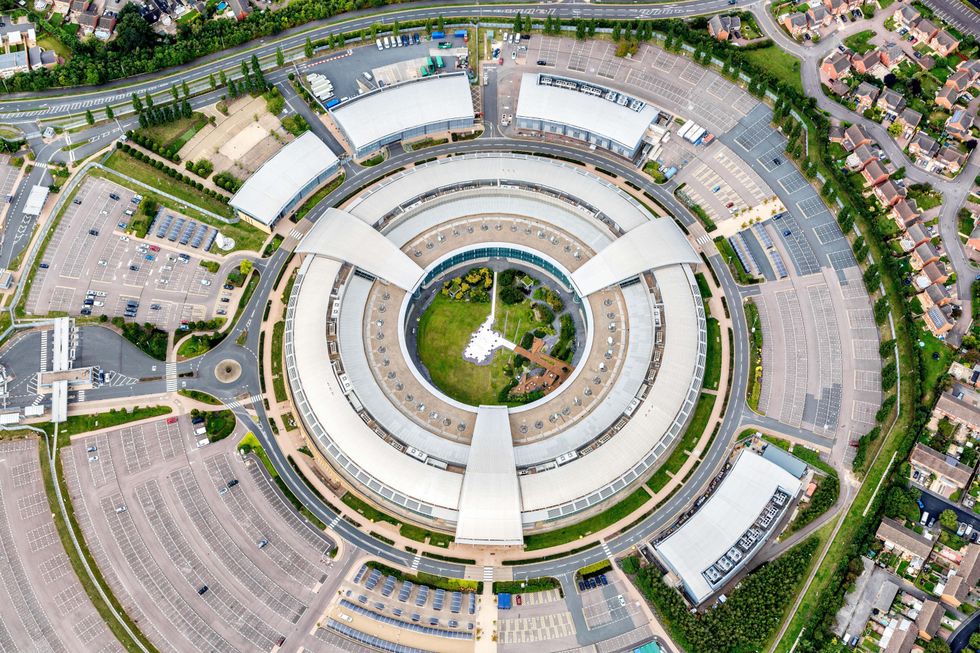
The National Cyber Security Centre backs this approach, recommending passkeys as a stronger alternative because they simply can't be intercepted, reused or nicked. Discussing the push for passkeys in more places, Jonathon Ellison, NCSC Director for National Resilience, said: "Cyber criminals often look for the easiest route to access important accounts, which means login details remain a common target. But passkeys offer a highly phishing-resistant alternative to passwords, frustrating attackers and saving the public time."
If you're not quite ready to make the leap, don't worry. Passkeys are completely optional, so you can carry on using your password if that's what you prefer. But if you fancy giving it a go, setting up a passkey is straightforward. You'll simply use the security features that are already built into your device.
GOV.UK One Login gives you access to a growing number of services, from checking your State Pension to managing your tax affairs and getting childcare support.
The NCSC is urging people to set up passkeys wherever they're available, not just for government services. It's described as a small but meaningful step that helps protect your online accounts. By switching to a passkey, you're making life harder for cyber criminals whilst making your own life a whole lot easier.
Our Standards: The GB News Editorial Charter